🔀
Truly cross-platform
The same typing experience on Windows, macOS and Ubuntu — no relearning your habits when you switch machines.
 Type Vietnamese, everywhere you work.
One input method for all three operating systems. Telex, VNI, multiple charsets, smart spell checking — and modes designed specifically for developers and gamers.
From instant transliteration to dedicated modes for developers and gamers.
The same typing experience on Windows, macOS and Ubuntu — no relearning your habits when you switch machines.
Pick the apps that should always stay in English mode (terminals, IDEs, games). VietKi automatically steps aside when you switch to them.
Even inside an excluded app, one shortcut instantly re-enables the input method, then restores the previous state afterwards.
Only activates the input method after you type a prefix — chat in Vietnamese in-game without breaking your control keys.
Telex, VNI, Simple Telex... Pick the style you know or customize the tone-mark rules to your liking.
Runs in the background with a tiny footprint, is open source, and never collects your data.
The source code is shared on GitHub — you are free to customize it however you like.
Three features that set VietKi apart from ordinary input methods.
Pick the apps that should always stay in English mode — terminals, IDEs, game launchers — and VietKi automatically steps aside when you switch to them.
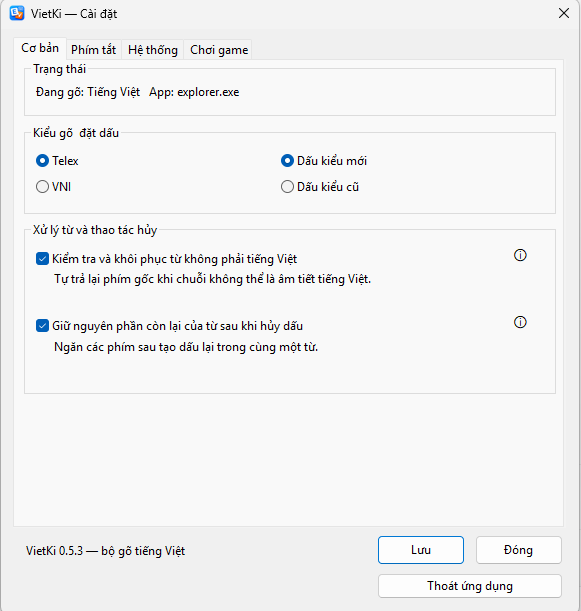
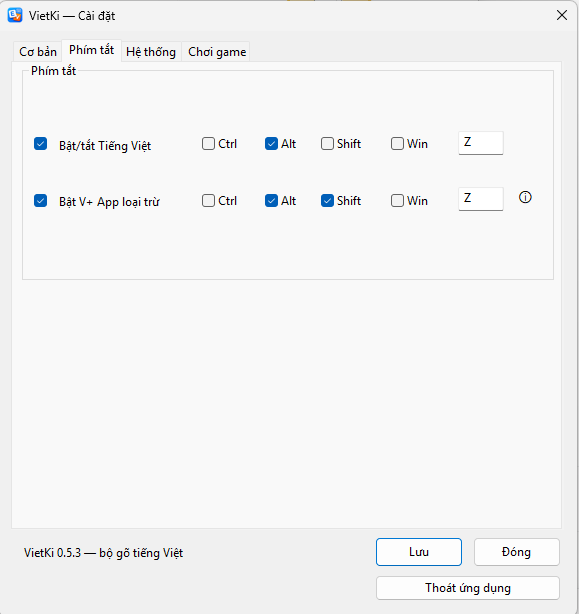
Inside an excluded app but want to type Vietnamese? One Quick Swap shortcut re-enables it immediately, then restores the previous state when you leave — no settings involved.
In games, keys like w a s d are for movement, not typing. Gaming mode only activates the input method after you type a prefix — so you can chat in Vietnamese without breaking your gameplay.
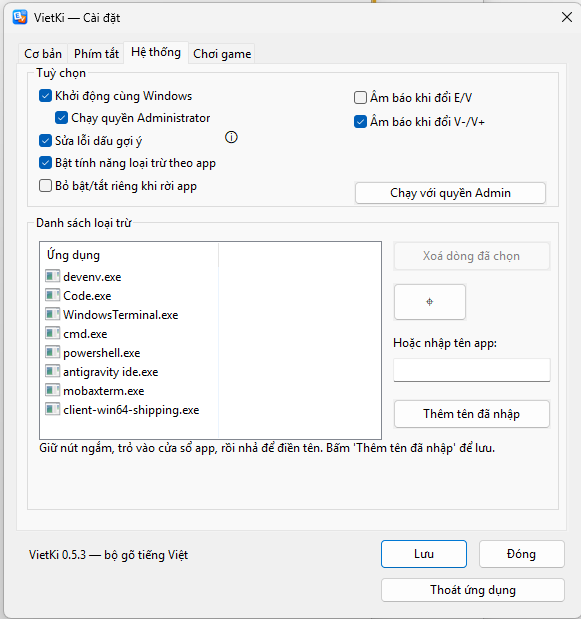
From instant transliteration to dedicated modes for developers and gamers.
Yes. VietKi is completely free and open source. You can download, use and contribute at no cost.
App exclusion keeps certain apps always in English mode (e.g. terminals, IDEs). Quick Swap is a shortcut that temporarily re-enables Vietnamese right inside such an app when you need it, then returns to the excluded state when you leave.
In games, keys like W/A/S/D are used for movement, so a regular input method causes glitches. Gaming mode only activates Vietnamese typing after you enter an agreed prefix, so you can chat in Vietnamese while playing without affecting your controls.
Typing methods: Telex and VNI — the simplest and most lightweight.
No. VietKi works fully offline and never sends what you type anywhere. The code is open source, so anyone can verify this.
Download the .deb package and install it with your package manager, or use the .AppImage build that runs directly with no installation. Detailed instructions are included on the download page.